
Reclaim space on your Mac without deleting blindly.
DeleteIt finds large files, duplicates and forgotten leftovers. Everything is analyzed on your Mac and you decide what goes to the Trash.
Built for Mac users who hate blind deleting
Free analysis · One-time payment for unlimited automatic cleanup · 14-day guarantee, subject to published policy.
- Native Swift app
- Local analysis
- Review before cleaning
- We move to the Trash
- Secure payment with Paddle
How DeleteIt works
Your Mac, cleaner in 3 simple steps.
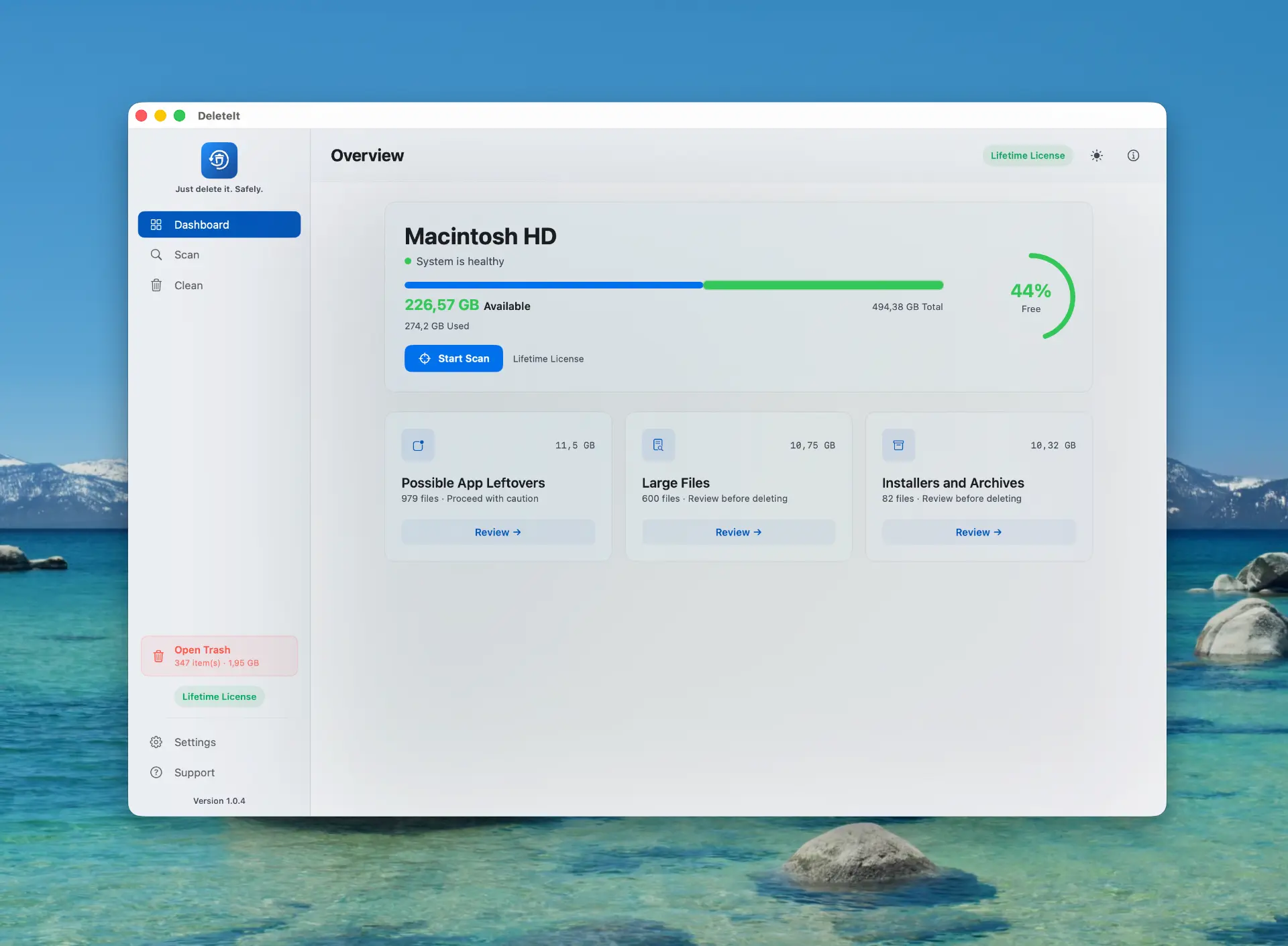
1. Scan
Choose basic or extended scope and let DeleteIt analyze your disk locally.
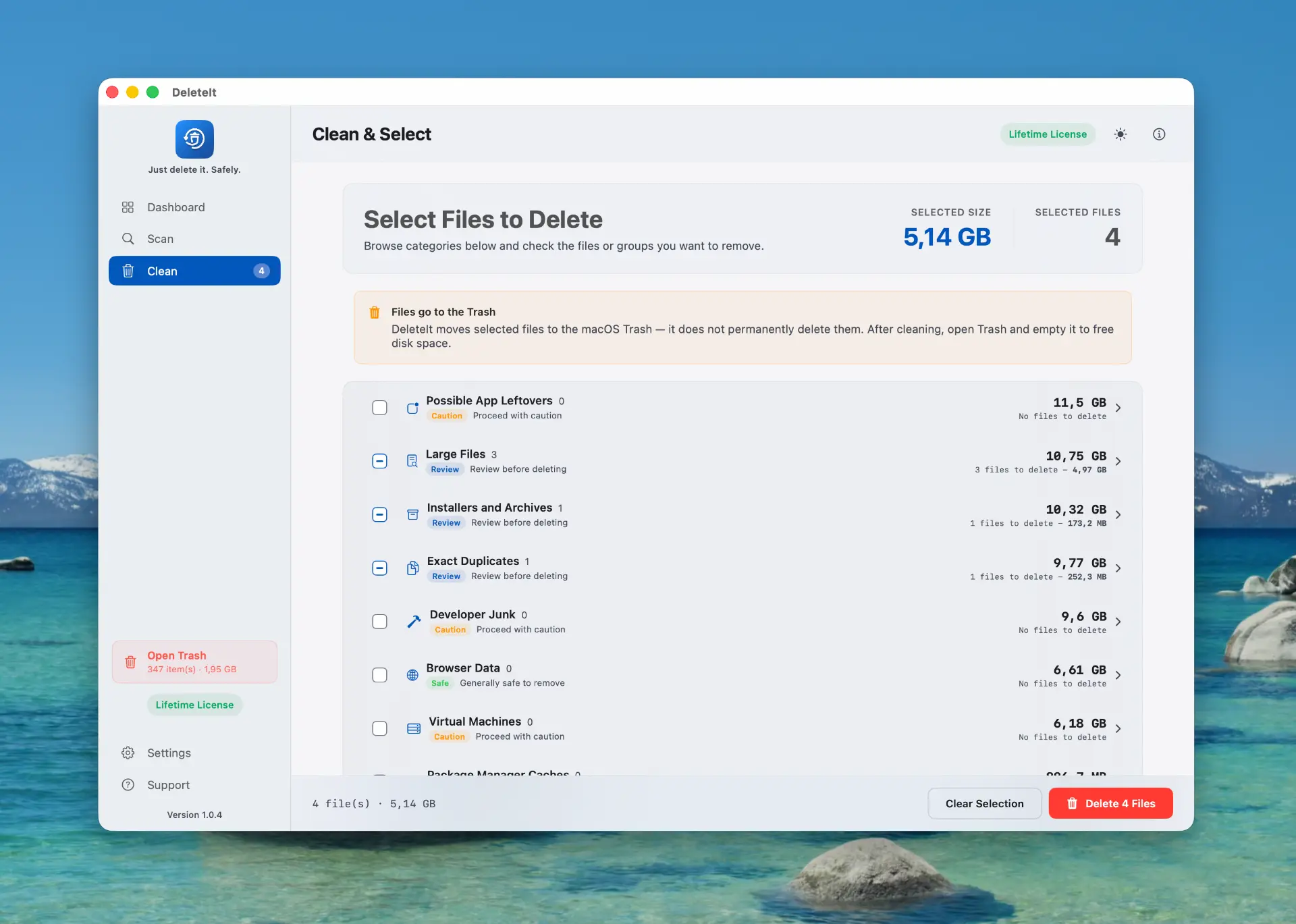
2. Review
See what takes up space by category, size and safety level.
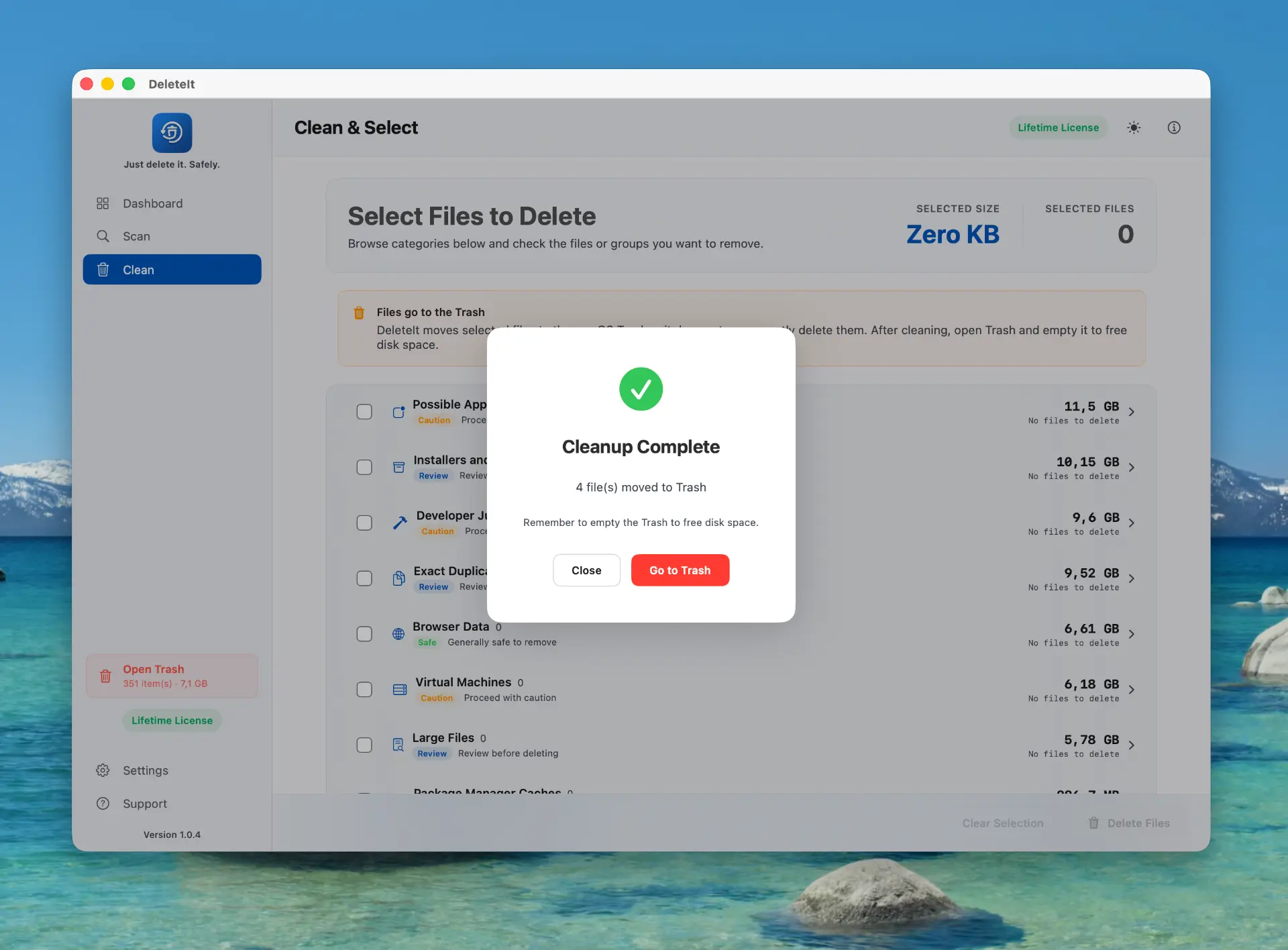
3. Clean
Confirm your selection and move the chosen items to the Trash.
What it finds
Everything that quietly fills your disk.
Large files and folders
Verified exact duplicates
Caches, logs and installers
App leftovers and orphan data
Developer junk and package managers
Backups, browsers and virtual machines
Security and privacy
Clean with context, not with fear.
Local analysis- File system analysis happens locally on your Mac.
- The normal flow moves items to the Trash — it does not erase permanently or empty it.
- Sensitive items and protected locations are flagged for review.
- Permissions are requested with context; extended scope is optional.
- Account and license use email, OTP and tokens stored in the Keychain.
- Support diagnostics are optional and sanitized — only what you choose to send.
Pricing
Scan free. Clean without limits with a single payment.
One-time license
50% launch discount
- No subscription
- Automatic cleanup with no quota limit
- Use it on as many Macs as you want
- Future updates included
Free trial
Not convinced yet? Try the app, see what it frees up on your Mac and share your honest feedback to help us improve.
Scan freeWhy one-time?
No subscription
Pay once, use it forever.
Future updates
New features included, no extra cost.
Own your software
No hidden fees, no renewals.
Safe & secure checkout
Payments processed by Paddle. We never see your card details.
Guarantee and support
- Secure payment with Paddle.
- 14-day guarantee, subject to the published policy.
- Support from the app and hello@deleteit.app.
- Signed and notarized download.
Taxes and the final total are calculated at checkout based on your location. Paddle processes the payment and issues the corresponding documentation.
FAQ
Questions before you scan.
Safety & security
Does it delete permanently?
Not in the normal flow — it moves items to the Trash.
Are my files uploaded?
Not for the analysis. Account and license use minimal data, and support only receives what you choose to share.
What permissions does it ask for?
Common folders for basic scope, and Full Disk Access for extended scope.
License & billing
Is the analysis free?
Yes. You can scan and review results without paying; the license removes the automatic cleanup limit.
What does the license include?
Automatic cleanup with no quota limit plus the published commercial benefits. It is a one-time payment.
Is it a subscription?
No. It is a one-time payment.
How do I activate a web purchase?
Buy, then sign in with the same email using the OTP code.
How do I request a refund?
According to the published policy and the Paddle process.
Technical details
Why do I need to sign in?
To link your quota or license, recover access and provide support.
Does it work on my Mac?
macOS 14 or later, Apple Silicon and Intel.
Who is behind DeleteIt?
An independent product.
Still need help?
Write to our support team at hello@deleteit.appYour Mac can breathe better in a few minutes.
Scan free, see exactly what you can recover and decide what goes to the Trash.